
QR Scanner - QR Code Scanner
Red Sky LabsProductivity
4.04.85K Reviews
- Version
- 3.4.5
- Installs
- 50.00M
- Age Rating
- Everyone
Screenshots
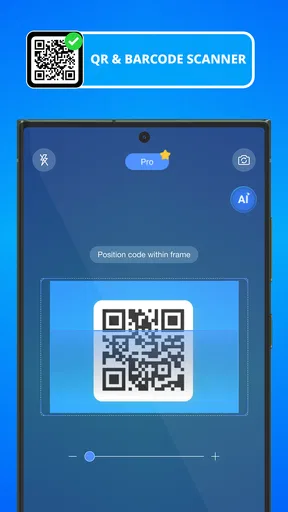
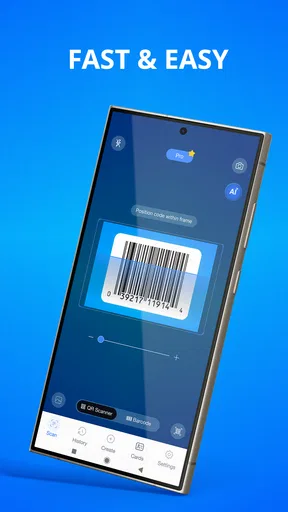
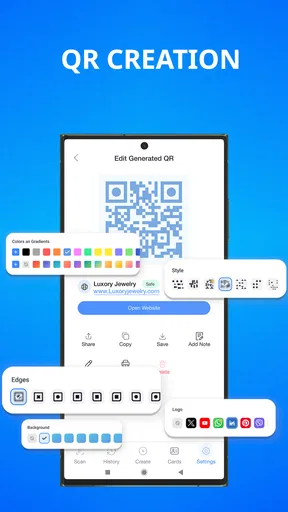
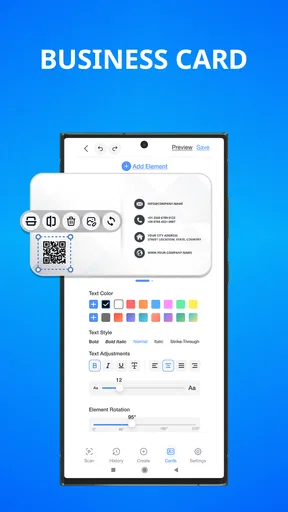
Our Review of QR Scanner - QR Code Scanner
 Analysis by Appyee
QR Scanner - QR Code Scanner is the kind of productivity app I reach for when I need an answer from a small square of printed or displayed code without opening a larger shopping, payment, or social platform first. Its central appeal is simple: it focuses on reading QR codes and barcodes, while also offering code generation when I need to share information rather than retrieve it. That narrow purpose makes it easy to understand, but the real question is whether a dedicated scanner earns space on your phone.
After using it as a practical utility, my view is that its strongest quality is speed of access. I do not have to navigate through a crowded service to find the scanning tool. I open the app, point the camera, and let it interpret the code. That matters in ordinary moments such as checking a product label, opening a menu, following a printed instruction, or transferring a web address from paper to a phone. The best reason to install it is convenience at the exact moment a code appears in front of you.
QR scanning when you need a direct answer
The app comes from Red Sky Labs and sits in the productivity category rather than trying to become a full shopping, payment, or communication platform. It is free to install, with optional in-app purchases ranging from $4.99 to $39.99 per item. That pricing detail is worth keeping in mind before treating every available option as part of the no-cost experience. The core idea remains approachable for someone who only wants a scanner, while people who need more may encounter paid choices inside the app.
Its store summary describes a fast QR and barcode scanner, a QR reader, and a QR generator. In practice, those are three related jobs rather than one vague promise. Reading a QR code is useful when the information already exists on a poster, screen, package, or card. Reading a traditional barcode serves a different situation, usually involving a retail item. Generating a QR code reverses the workflow: instead of extracting information, I turn information into something another person can scan.
That distinction makes the generator more useful than it may first appear. I could prepare a code for a web address, contact detail, or other supported text and show it on my phone or share the resulting image through the normal tools available on the device. I would not choose a dedicated scanner solely for code creation, but having both directions in one small utility prevents me from installing separate apps for occasional tasks.
The app has reached a broad audience, with over 50 million installs, around 131 thousand ratings, and roughly 4.9 thousand written reviews. Its average rating is 4.0, which suggests a generally positive reception without implying that every user will find it perfect. I read that combination as a sign of a familiar, useful tool with some room for personal preference and practical friction.
What the scanning capability changes in everyday use
The important benefit is not that the camera recognizes a pattern; many modern phones can do that. The benefit is having a predictable place to start when the built-in camera does not offer the experience I want, or when I prefer a dedicated workflow. A focused scanner can feel less distracting than opening a general camera, waiting for a prompt, and deciding what to do next.
For example, imagine receiving a printed notice with a QR code that leads to an online form. I can open the app, hold the phone over the code, and continue to the result instead of typing a long address character by character. If the code is on another phone, I can adjust the angle and distance until the pattern sits clearly in the camera view. That is a small saving, but it removes the most annoying part of transferring a link from a physical source.
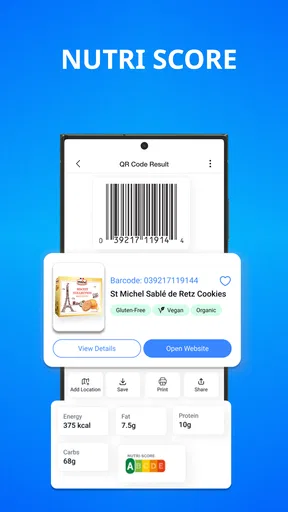
Barcodes create a slightly different experience. A barcode on packaging is not automatically a complete product database. The scanner can interpret the pattern, but what happens after that depends on the information encoded and the action offered by the app or device. I would therefore use it as a quick reader, not assume it will always provide rich product details, prices, or inventory information. This is one of the most important expectations to set before downloading it.
How I would use it without wasting time
I start by placing the code in good light and keeping the phone steady for a moment. Fast scanning does not eliminate the basic limits of a camera: glare, motion, a damaged print, tiny code squares, or an extreme angle can all make recognition harder. A useful trick is to move the phone slightly farther away when the code looks blurry rather than pushing the lens closer. The camera needs the entire pattern to sit inside a readable area.
When scanning from a laptop or tablet, I lower screen glare and increase the display brightness if necessary. Reflections can confuse the camera even when the code itself is perfectly valid. For a code printed on glossy packaging, rotating the item a little often works better than changing the phone position repeatedly. These are simple adjustments, but they make a bigger difference than repeatedly tapping the screen.
I also treat the result as information to review, not something to open blindly. A QR code can contain a web address, text, contact information, or another kind of payload, and the destination may not be obvious from the printed square. I check the displayed result before continuing, especially when the code comes from an unfamiliar poster, package, or message. That habit is more valuable than any claim of speed because it keeps convenience from turning into careless tapping.
For repeated work, I would keep a consistent routine: scan, inspect the decoded content, decide whether it is trustworthy, and then use it. If I am collecting several codes, I would record the useful results immediately instead of assuming I will remember which code produced which link. The app is a fast entry point, not a replacement for organizing the information afterward.
A realistic scenario where it earns its place
My favorite use case is a mixed day of paper and screens. Suppose I am setting up a device from a printed guide, checking a label on a household item, and then receiving a QR code on a computer screen for a form. A dedicated tool lets me handle all three without switching between unrelated services. The first code can provide an instruction link, the barcode can be read for its encoded number, and the final QR code can transfer the form address to my phone.
This is particularly useful for people who do not scan codes every day but dislike being caught without a reliable reader. Students, travelers, home organizers, and anyone handling printed instructions can benefit from that readiness. It can also help when a phone’s standard camera is being used for an actual photograph and I want a separate, task-focused route.
The generator adds value in a different scenario. I might need to place a website address on a small notice, share contact information at an event, or make a screen-based code that someone nearby can scan. Creating the code on the same device that reads codes keeps the workflow compact. I would still test the generated result with another phone before printing or distributing it, because a code that looks correct is not enough; the encoded content must also be the content I intended to share.
That testing step is a non-obvious but important trade-off. A generator saves time, yet it can also make errors easy to overlook. If I create a code from a mistyped address, the square will faithfully preserve the mistake. I would scan it once myself and, for anything important, ask another person to test it from the final printed or displayed version.
Where it fits beside built-in cameras and larger apps
The usual alternative is the phone’s camera app. On many devices, that is already enough for basic QR reading, so installing another scanner is not automatically necessary. If your camera recognizes codes quickly and you only scan one occasionally, the built-in option is probably the cleaner choice because it avoids another app and another interface to maintain.
A dedicated scanner becomes more appealing when you want the same focused starting point every time or when you also need barcode reading and QR generation in one place. It is less appealing if your main goal is shopping research, payment, ticket storage, or managing a loyalty account. Those tasks often belong in the relevant retailer, wallet, travel, or membership app, where the scan is connected to the rest of the transaction.
I would also avoid expecting it to replace a document scanner. A QR reader interprets a compact encoded pattern; it is not the right tool for capturing pages, correcting document perspective, or preserving a readable copy of a receipt. Likewise, it should not be judged as a full password manager, contact manager, or link organizer. Its value comes from doing a small job directly, not from absorbing every task that happens to begin with a camera.
Trade-offs before you make it your default
The first limitation is dependence on the physical quality and presentation of the code. No scanner can reliably rescue a heavily damaged print, a reflection across critical squares, or a display viewed at an awkward angle. If scanning fails, I first change the light, distance, and angle before blaming the app. Still, people who regularly work with poor-quality labels may prefer a tool with specialized capture controls, if those controls are central to their workflow.
The second consideration is what happens after recognition. A scanner can make a link accessible, but it does not make the destination safe or useful. I would inspect unfamiliar addresses and avoid assuming that a code printed in a public place deserves automatic trust. This is not a criticism unique to this app; it is a basic consequence of making links effortless to open.
The third is the presence of paid items. The app is free, but optional purchases sit within the experience, priced from $4.99 to $39.99 per item. I would install it for the basic scanning job only after checking which tools are available without payment and whether the paid options matter to my routine. Someone seeking a completely minimal utility may prefer the camera already included with the phone, while someone who values the extra workflow may consider an upgrade worthwhile.
Compatibility is reasonably broad for older devices because the app supports Android 7.0 and later. Its current version is 3.4.5, and it carries an Everyone content rating. That makes it suitable for a wide range of general users, although the age label should not replace sensible judgment about the links and information encountered through scanning. A family member can use the reader easily, but I would still explain why unknown QR destinations deserve a quick check.
Another practical trade-off is habit. If I already use a wallet app for payment codes, a camera app for ordinary QR links, and a retailer app for barcodes, adding a separate scanner may create more choices rather than fewer. The dedicated approach makes sense when it consolidates the types of codes I actually encounter. It makes less sense when my existing apps already handle those same tasks smoothly.
Small workflow tips that make the app more useful
I would keep the phone lens clean before judging recognition speed. Fingerprints create a soft haze that is especially noticeable on small codes or bright screens. I would also avoid covering the code with a finger and leave a little space around its edges in the camera view. The app needs to see the complete pattern, and a rushed grip can make a simple scan fail.
For codes shown on another screen, I would use the screen’s brightness controls rather than turning on a flashlight. A flashlight can add reflections to glossy displays and make the contrast worse. For printed codes, diffuse room light is usually more comfortable than a harsh beam aimed directly at the paper. These choices are not app settings, but they determine whether the scanner gets a clean image to interpret.
When generating a code, I would keep the source text short and purposeful where possible. A compact web address or clear contact detail is easier to share and easier for another person to understand after scanning. I would avoid using the generator as a substitute for a properly designed sign: the code should have enough surrounding explanation that people know why they are scanning it and what kind of result to expect.
Finally, I would not use a generated code as the only way to share important information. A printed address or readable instruction beside it gives people an alternative if their camera cannot focus, their battery is low, or they simply do not want to scan. The app makes code creation convenient, but good communication still needs a fallback.
Who will gain the most from this focused utility
I think it is best for people who regularly move information between physical objects and phones. If you scan labels, notices, menus, manuals, event materials, or computer screens often enough to notice the inconvenience of switching apps, a dedicated reader is easy to justify. The combination of QR reading, barcode interpretation, and code generation gives it more range than a tool that only opens links.
It is also a sensible choice for someone using an older Android phone that does not provide a dependable built-in QR workflow. Support for Android 7.0 and later gives it a practical reach across older hardware, and the Everyone rating keeps the presentation broadly accessible. I would still pay attention to how the app behaves on the specific phone, because camera quality and screen brightness can matter as much as the software.
On the other hand, I would skip it if I only scan a code once every few months and my phone’s camera already handles that job. I would also choose a more specialized alternative if I need searchable scan history, document archiving, product databases, payment integration, or advanced business inventory work. This app’s strength is directness, not depth in those separate fields.
For me, the deciding question is whether I want a reliable doorway into code-based information or a complete system built around that information. QR Scanner - QR Code Scanner is strongest as the doorway: quick to understand, useful across paper and screens, and flexible enough to create a code when the direction of the task changes. It does not remove the need to inspect links, manage results, or choose the right specialist app afterward.
Red Sky Labs has kept the concept clear, and the app’s large install base shows why a simple utility can remain useful. My recommendation is positive for anyone who wants a dedicated scanner and does not mind reviewing the optional paid elements. If your built-in camera already works perfectly and you rarely need barcode reading or QR creation, stay with that. If you often find yourself typing addresses from printed squares or searching for a quick way to share one, this free productivity app is a practical addition.
Verdict
Strengths of QR Scanner - QR Code Scanner
- Scans QR codes quickly, even when lighting conditions are not ideal.
- Simple interface makes the app easy for first-time users.
- Recognizes common barcode formats in addition to QR codes.
- Lets you review scanned results before opening links or content.
- Useful for accessing menus, tickets, websites, and product information.
Limitations of QR Scanner - QR Code Scanner
- Some features may be limited or interrupted by advertising.
- Camera permissions are required for the main scanning function.
- Results depend on the quality and positioning of the printed code.
- Not every scanned link or destination is safe to open.
- Advanced options may feel limited for frequent professional use.
Other Releases by Red Sky Labs
View All
Muzio I Music Player & MP3 App
Music & Audio3.5

Copy My Data: Transfer Content
Tools4.3
Similar Picks in This Category
View All
Google Calendar
Google LLC4.6

Google Drive
Google LLC4.3

Google Assistant
Google LLC3.9

Microsoft OneDrive
Microsoft Corporation4.6

Samsung Calendar
Samsung Electronics Co., Ltd.4.1

Microsoft OneNote: Save Notes
Microsoft Corporation4.6
Frequently Asked Questions
What is QR Scanner - QR Code Scanner used for?
QR Scanner - QR Code Scanner is designed to read QR codes and, depending on the code type, open websites, display text, add contact details, connect to Wi-Fi, or show product and event information. After scanning, the app generally presents the detected content before you continue, which is useful for checking a link or confirming information instead of opening it immediately without review.
Is QR Scanner - QR Code Scanner free to download and use?
The application can generally be downloaded without an upfront payment, although the exact availability of advertisements, optional premium features, or in-app purchases may depend on the Android or iOS version and the developer’s current offering. Before installing, check the store listing for pricing details, subscription terms, and whether any features are restricted behind a paid upgrade.
Does QR Scanner - QR Code Scanner require an internet connection?
A camera-based QR scan can usually be performed without an internet connection because the code is interpreted directly on the device. However, an internet connection may still be required when the scanned result points to a website, online form, cloud service, map, or other web-based content. Offline behavior can also vary according to the code format and app version.
Is QR Scanner - QR Code Scanner safe to use?
The scanner itself is intended to decode QR codes, but the content inside a QR code may lead to unsafe websites, misleading downloads, or phishing pages. Review the detected address before opening it, avoid entering sensitive information on unfamiliar sites, and install the app only from an official store. It is also worth checking requested permissions and the developer’s privacy policy.
What permissions does QR Scanner - QR Code Scanner need?
The main permission normally required is access to the device camera, since the camera is used to recognize QR codes. Some versions may request additional access for saving scan history, opening links, or importing images from the gallery. You can review and manage these permissions in your phone’s settings, and you should be cautious if the app requests access unrelated to scanning.
